Android
Pilot TV
Control a compatible Samsung TV from a phone on the same network.
- Status
- Closed test
- Version
- 1.0.5
- System
- Android 10 or newer
- Tested setup
- Samsung OLED S92C and Google Pixel

Local control
The phone sends commands straight to the TV through your home network.
- User account
- Not needed
- Ads
- None
- Analytics
- None
- Cloud relay
- None
Check compatibility
Available controls depend on the TV model and software.
- Phone
- Android 10 or newer
- Required
- TV
- Samsung with Tizen and remote control support
- Required
- Network
- Phone and TV connected to the same router
- Required
- First connection
- Approve access on the TV screen
- Required
- Available controls
- Depends on the model and software
- May vary
What the test covers
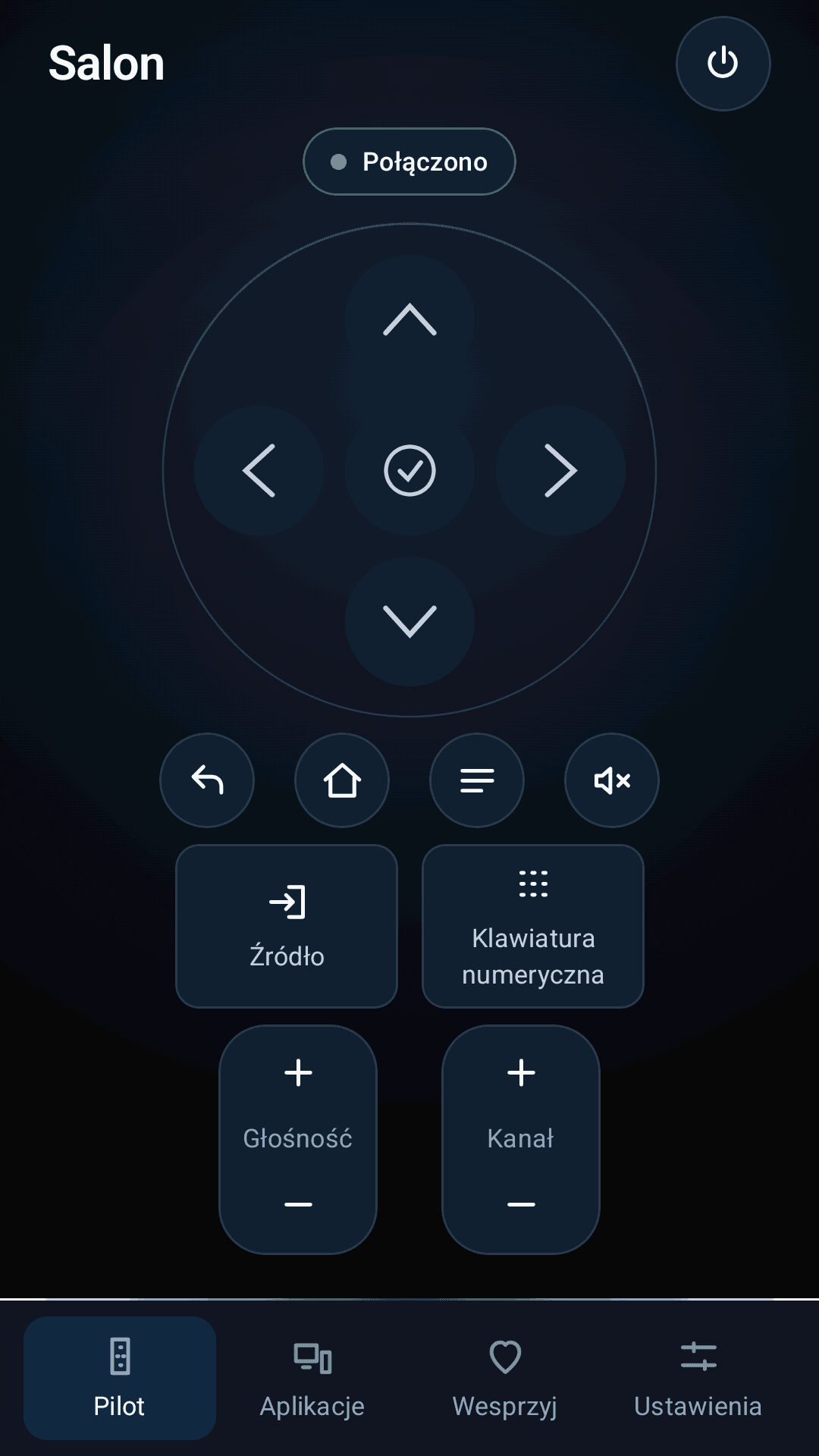
- 01RemoteDirection pad, OK, Home, Back, Menu, volume and channel controls.
- 02Sources and numbersChange the source and enter channel numbers when the TV supports those commands.
- 03AppsOpen apps reported by the TV.
- 04Power onWake the TV from the app when the TV and router support network wake-up.
- 05Command resultSee whether a command was sent and whether the TV confirmed it.


After you apply
The Google Play test must run for at least 14 days.
- 01
Send an application
Enter the Google account used in Play Store and the models of your phone and TV.
- 02
Get the invitation
After we check the equipment, we will send a link to the test version in Google Play.
- 03
Test for 14 days
Control the TV and report problems with connection, power or commands.
Where the data goes
Remote commands stay on your home network. Form data is used only to run the test.
- TV control
- Phone
- TV on the same network
- Test application
- Form
- Private project storage
The app stores TV details, pairing data and settings on the phone. The form sends your Google account address and device models to private Vercel storage. Form data is deleted 120 days after submission.
Join the test
Enter the Google account used in Play Store and your device models. We will send the install link after reviewing the application.
Questions? Write to kontakt@polszewski.com.
Before you install
- Does it work with every Samsung TV?
- No. Compatibility depends on the model, Tizen version, software and network settings.
- Is internet needed while using the remote?
- No. Internet is needed to install the app and receive the invitation.
- Does the app contain ads?
- No. Supporting the project is optional and does not unlock features.
- What does the app store?
- TV details, pairing data and settings remain on the phone.
- Is this an official Samsung app?
- No. It is an independent project and is not linked to Samsung.